Thursday, December 1, 2016

Geometry Techmatrix

There is a website called Techmatrix that allows you to compare products by categories and disabilities.  It informs you of the grade levels that the products are useful for and it also shows you what operating systems the product will be accessible.


I compared GeoGebra, Crystal Rain Forest, Geometer's Sketchpad, and Poly
no data

GeoGebra was the only free one and it is used on computers.  While Geometer's Sketchpad was the most expensive.


All of the products work with autism, emotional disturbance, specific learning disability, and speech and language impairment.

Geometer's Sketchpad can be used across more age levels than the other products.

All of them except for Ploy worked with many different math components such as: expressions and equations, functions, geometry, operations and algebraic thinking.  Poly only worked with geometry.

Pattern Blocks Online Manipulative

One of the interactive manipulatives that I found on http://nlvm.usu.edu/en/nav/vlibrary.html that was in each category for grade levels wast called Pattern Blocks.


I love using Pattern Blocks with students.  They are a great way to show fractions for older students and the younger students can build items with them while getting familiar with different shapes.


The directions for the K-2 section:
Pattern blocks are great for making and describing patterns. To complete this activity:
  1. Create a pattern by combining trapezoid and triangle blocks.
  2. We could describe this pattern as "a square block followed by a triangular block". We often shorten descriptions in math so it takes less space to write. One common way to shorten a description is to use single letters in place of words. 
    For example we can describe the "a square block followed by a triangular block" pattern as an AB pattern. We call the square block "A" and the second block "B".
    If you connect 3 "A" blocks together, you would have an AAA pattern. Likewise, if you combined three "B" blocks together you would have a BBB pattern.
  3. Make a wall using an ABAB pattern.
  4. Make a star using an AAAAAA pattern.

The directions for the 3-5 section:

  1. Add 5 squares to the workspace.
  2. Color 3 squares blue.
  3. You describe the result as: "3 of the 5 squares are blue".
    A mathematical description would be "3/5".
Distinguishing and describing parts of a group is an important introduction to rational numbers.


The directions for the 6-8 section:
  1. Consider how each pattern block can be a whole unit, or part of a larger whole unit.
  2. If you call the blue diamond pattern block 1 unit, which pattern block would be 1/2 a unit?
    If you call the yellow hexagon 1 unit, which pattern block would be 1/2 unit?
    If the blue diamond is 1/2 unit, make a shape that is 1 unit.
    If the blue diamond is 1/4 unit, make a shape that is 1 unit.
    If the green triangle is one unit, which pattern block is equivalent to three units?
    If the green triangle is one unit, which pattern block is equivalent to six units? 
  3. Make a shape that is 2 1/2 times the size of a green triangle.
  4. Make a shape that is 3 1/2 the size of a blue diamond.
Any shape can be a whole unit, or a part of a larger unit. Whole numbers describe when a shape is a whole unit, or a multiple of a whole unit. Rational numbers can describe when a shape is part of a larger whole.


The directions for the 9-12 section:
  1. Consider how each pattern block can be a whole unit, or part of a larger whole unit.
  2. If you call the blue diamond pattern block 1 unit, which pattern block would be 1/2 a unit?
    If you call the yellow hexagon 1 unit, which pattern block would be 1/2 unit?
    If the blue diamond is 1/2 unit, make a shape that is 1 unit.
    If the blue diamond is 1/4 unit, make a shape that is 1 unit.
    If the green triangle is one unit, which pattern block is equivalent to three units?
    If the green triangle is one unit, which pattern block is equivalent to six units? 
  3. Make a shape that is 2 1/2 times the size of a green triangle.
  4. Make a shape that is 3 1/2 the size of a blue diamond.
Any shape can be a whole unit, or a part of a larger unit. Whole numbers describe when a shape is a whole unit, or a multiple of a whole unit. Rational numbers can describe when a shape is part of a larger whole.


So as you can see, you can vary levels when playing with pattern blocks.  I have only used them with the younger students and they absolutely love building things with them.

Tuesday, November 29, 2016

Low and Mid Tech Math

Kinds of low-tech and mid-tech adaptations can assist students with disabilities in completing math assignments ...

* pencil adaptations - weights, grips, and holders
* slanted writing surface
* magnetic numbers
* calculators
* raised number rulers
* manipulatives
* rubber stamps
* addition/multiplications tables
* talking calculators
* coin-u-lator


I look at these as ways to make an every day math class operate and not just to be used for students with disabilities.  Manipulatives are a great way for students to be a little more active in their learning instead of always doing worksheets!!


Apps for Math Skills

Kinds of educational applications that can be used to teach math concepts, math skills, and problem solving ...

I researched this on a website https://www.commonsensemedia.org/lists/apps-and-websites-with-lots-of-problem-solving to find some great problem solving apps and websites for kids.

Alien Assignment


Bedtime Math


Bugs and Numbers


Elmo Loves 123s


Intro to Math


Monkey Math School Sunshine


Thinkrolls

Visual/Spatial Disabilities

Kinds of technology tools can be used to address visual-spatial or motor control difficulties...

When we think technology, our minds go to phones and computers, or perhaps even tv, but the reality is for the students will disabilities, there are many low tech or even no tech options.

* slant board - can use a three ring binder
* wide ruled paper - allows for extra space
* highlight lines on paper
* highlight borders for gluing or coloring
* colored glue sticks
* write directions in a different color


More high tech options would be:

Generate videos by inputting images, videos and music
Create video games using a drag-and-drop programming language
Watch and post videos online and share with the large YouTube community
Post high-quality videos and explore the work of budding videographers
Create, edit and manipulate images and graphics
Create animation and multimedia content
Design and test virtual bridges
Build virtual lego creations
Create customized websites with an easy-to-use, drag-and-drop interface
Create zoomable presentations featuring text, images, video, & diagrams
Collaboratively markup websites , graphics and documents  or brainstorm on a blank canvas in real time with chat options
Brainstorm and mind-map online
Generate word clouds based on pieces of text or blog feeds
Generate advanced word clouds and customize shape, colors, and sizes
Create polls using text, equations or images and respond  in real time using mobile devices or internet
Generate visual mind-maps using textual outlines
Create and view animated maps

Math Fluency

Technology tools that can be used to address automaticity/math fact fluency

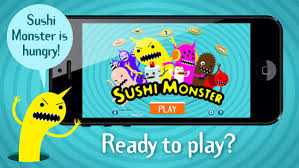
Sushi Math is one that I have downloaded for my students.

https://www.edutopia.org/blog/10-apps-for-math-fluency-monica-burns  This is a link (one of many) that have a compiled list of math fact applications.  Sushi Monster is in this list too.


Operation Math - kids get to have secret spy missions


Pet Bingo - play bingo while doing math facts


10monkeys Multiplication - help trapped monkeys escape by answering multiplication questions


Yodel Oh Math Mountain - carnival games

Some listed are free and some are a small fee.


Educational Apps for Goals

Key questions that should be considered when selecting educational applications to meet students' goals and objectives ...

I have an iPad in my classroom that I downloaded educational apps to and there were some things that I considered before I put them on to the iPad for the students to use.

I researched some of them online.  I needed to know what age level it was for, what skills the app will teach or reinforce, and if the game is going to be enjoyable.

There are great websites that have lists of great apps for students in the classroom.  Between reading and math, there are so many different kinds and for all age levels.  I think the teacher should also play them to get familiar with them and to know if it will help the students with the goals and objectives that the teacher has in mind.